
Download Plain Text Sticky Notes – note-taking, sticky notes, text notes, productivity tool, task management, minimalist app, lightweight app, distraction-free writing, digital notebook, simple notes
Overview
Plain Text Sticky Notes is a minimalist mobile application designed to streamline the note-taking process for users who value clarity and efficiency. Built with simplicity in mind, the app offers a distraction-free environment ideal for writers, developers, and professionals managing daily tasks. Its core purpose is to provide a lightweight, fast, and intuitive way to capture ideas, reminders, and to-do items without the clutter of unnecessary features. The app addresses common pain points associated with note-taking, such as slow performance, complex navigation, and data loss, by focusing on essential functionality.
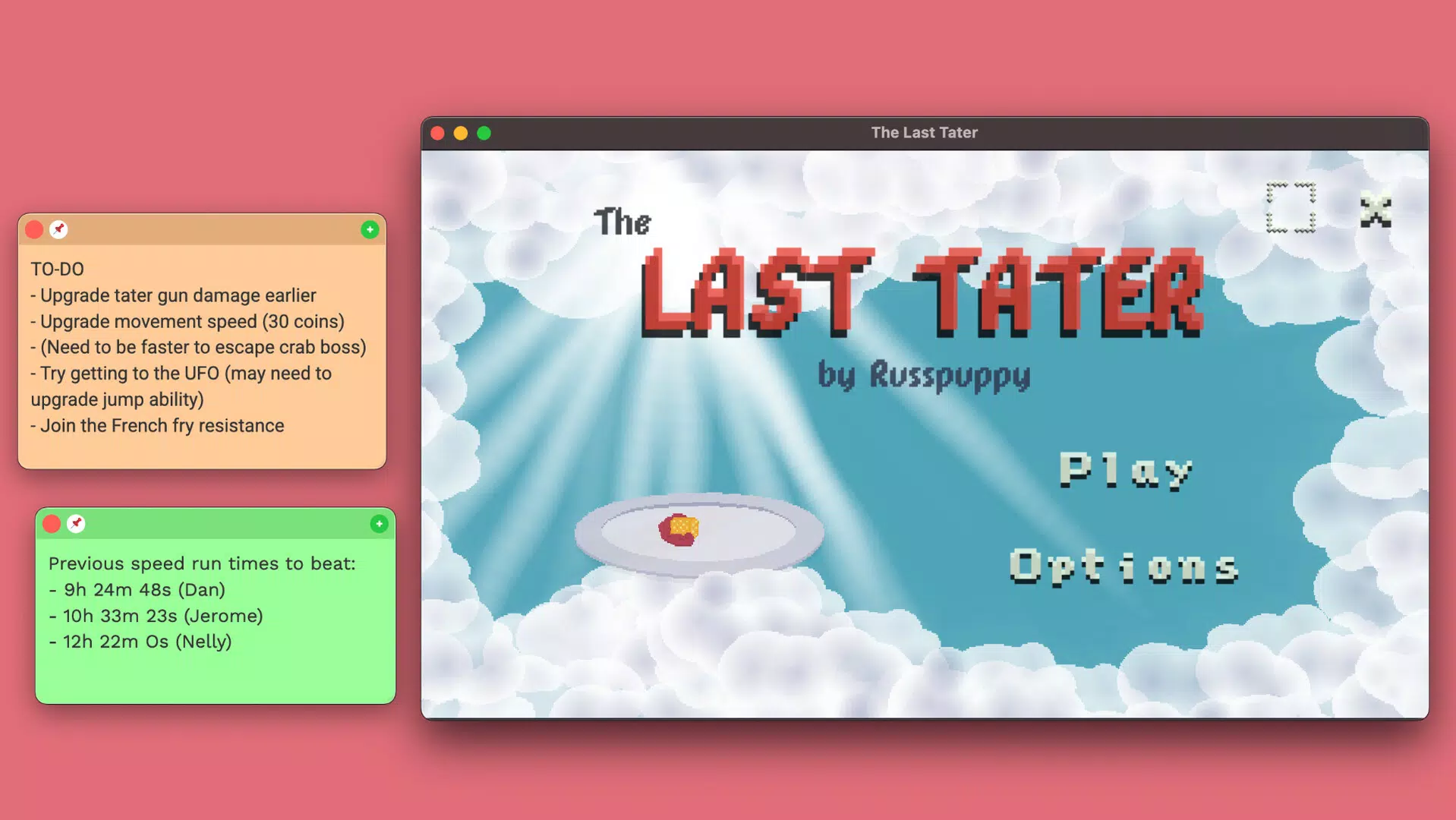
Target users include individuals seeking a clean digital notebook alternative to physical sticky notes. Whether used for brainstorming, project planning, or quick task logging, the app supports a variety of real-world use cases. For example, a developer might use it to jot down code snippets, while a student could use it to organize study notes across multiple topics.
The developer, Jason K. Menard, appears to be focused on delivering a tool that prioritizes usability over complexity. Although the developer did not provide additional technical details, the app’s release date of May 12, 2025, indicates it is a recent entry in the productivity category.
In the current app ecosystem, where many note-taking tools are feature-heavy, Plain Text Sticky Notes stands out as a purpose-built utility for those who prefer minimalism and speed.
Key Features & Functionality
- Clean, Minimalist Design: The interface is intentionally devoid of visual clutter, ensuring that the user’s attention remains focused on the content. This design philosophy supports deep work and reduces cognitive load during writing sessions.
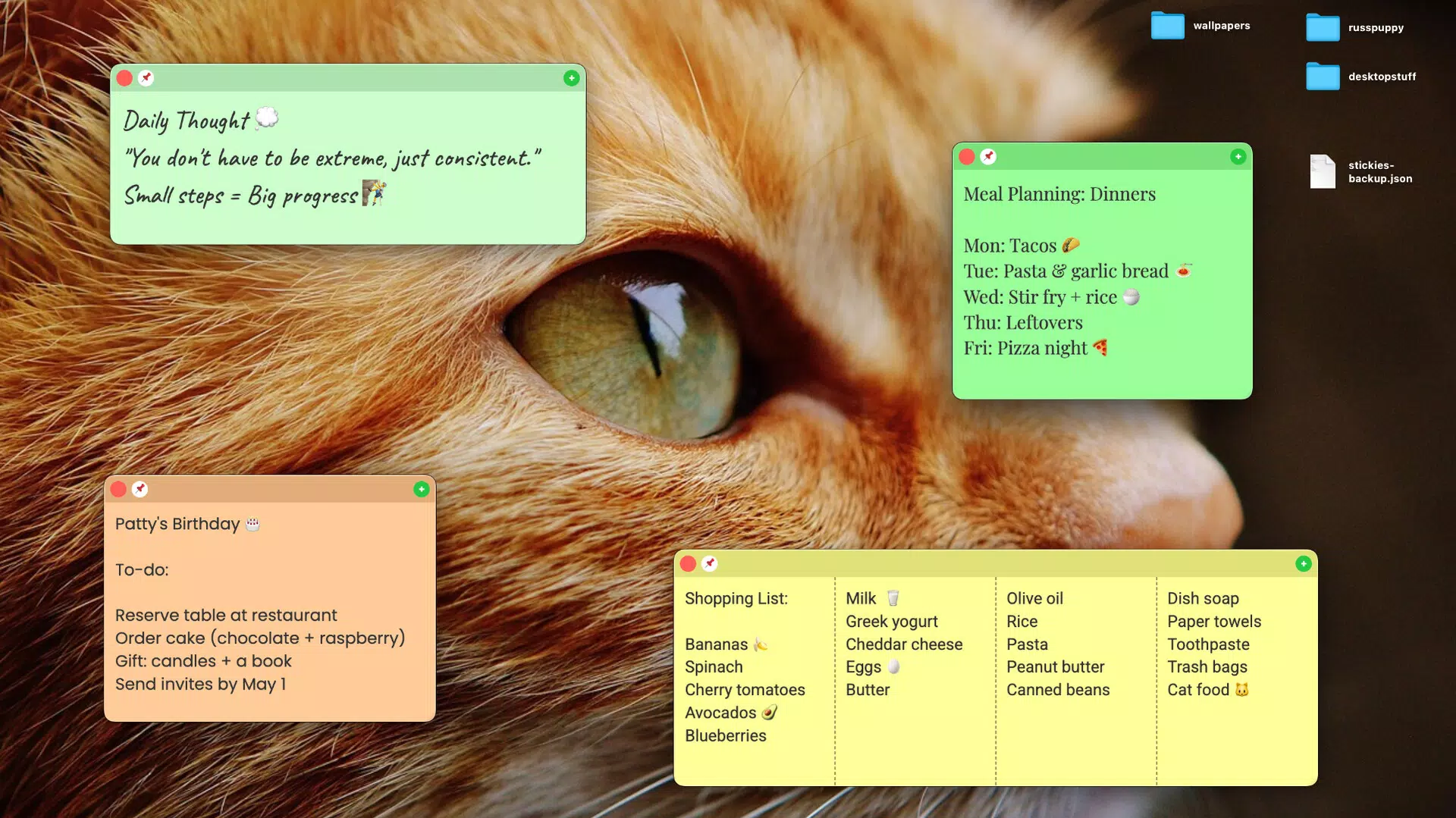
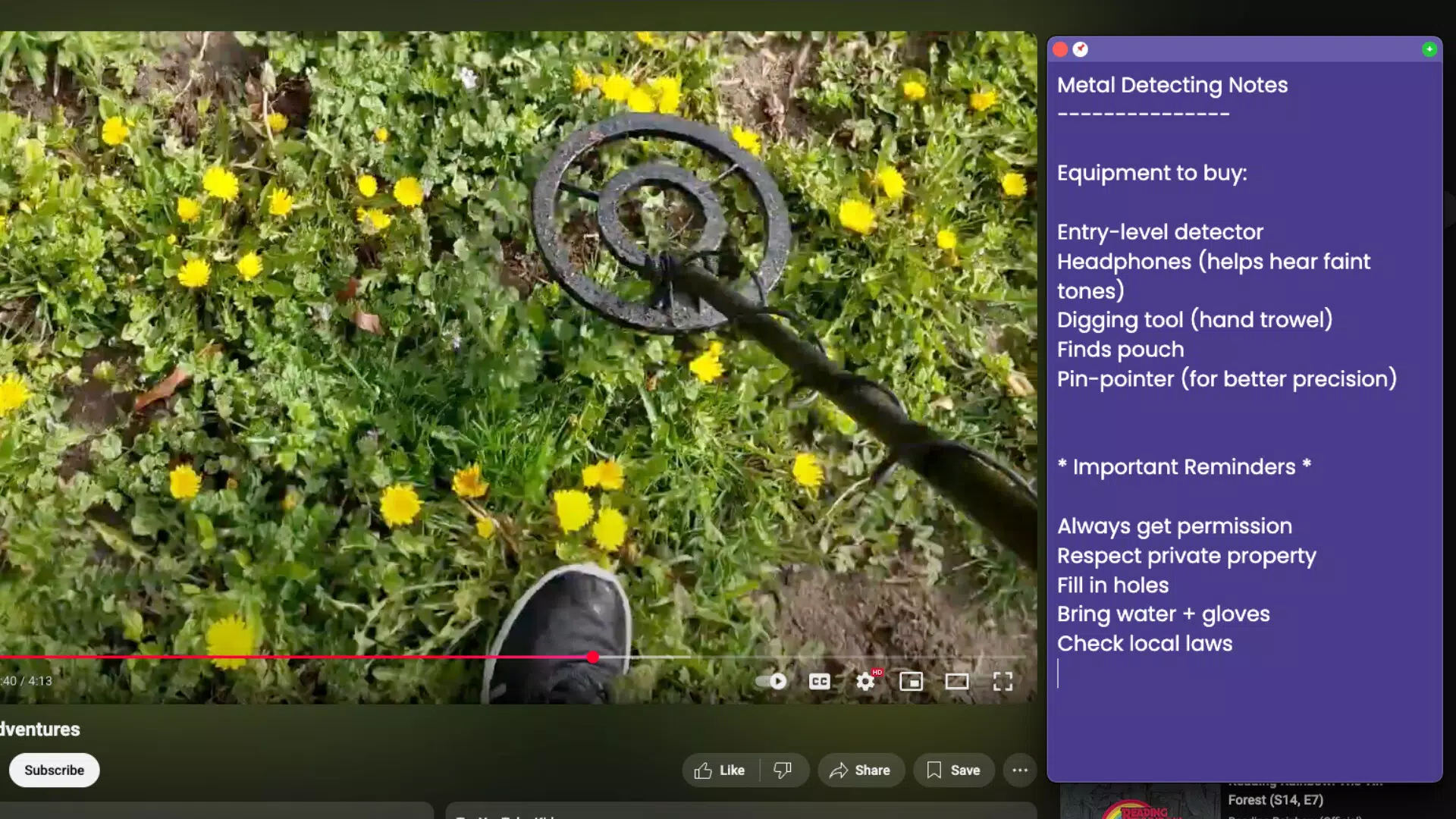
- Highly Customizable Appearance: Users can modify colors, font sizes, and font families to tailor the look of their notes. This flexibility allows for personal branding of digital notes and enhances visual comfort during extended use.
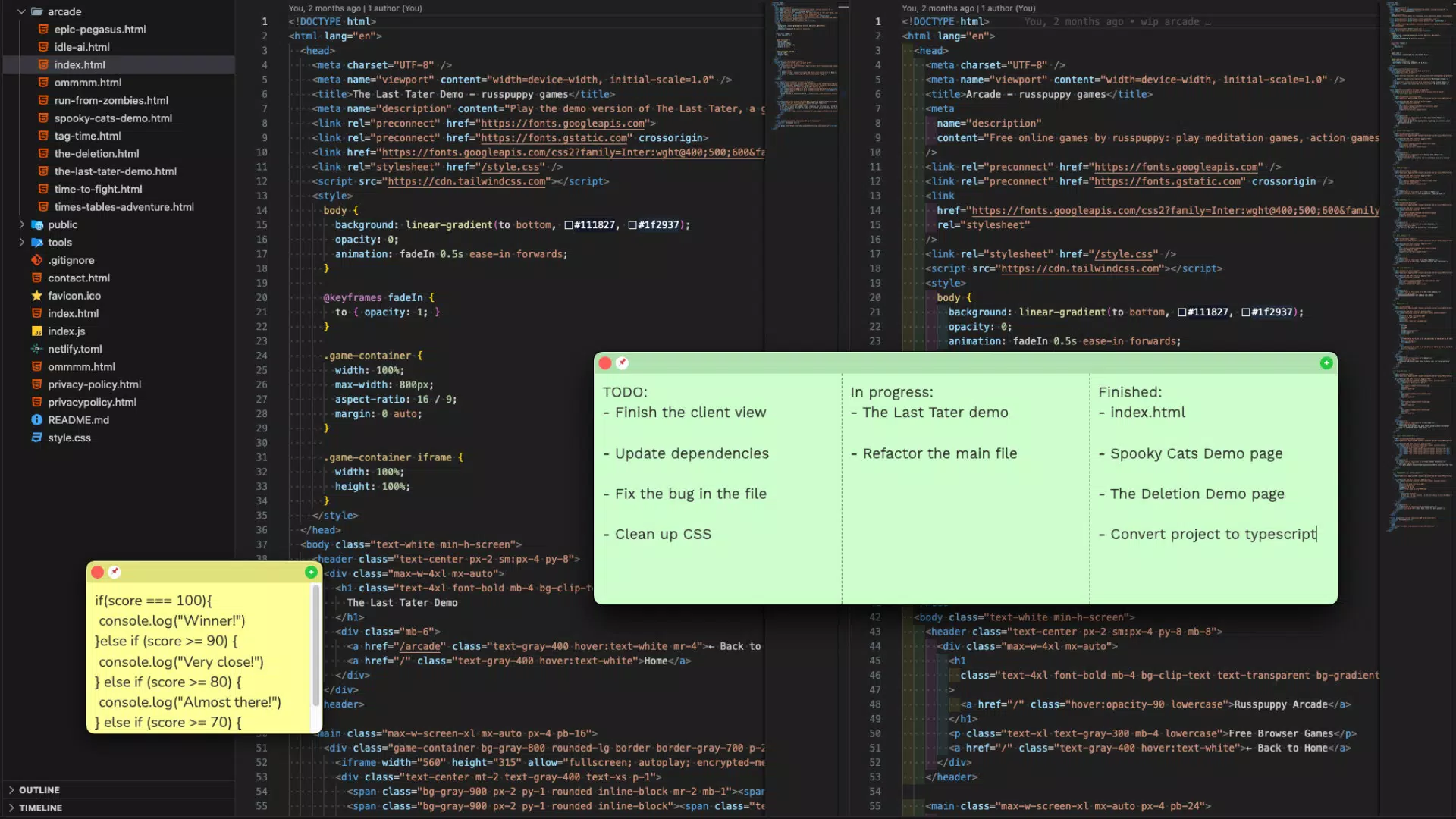
- Multi-Column Organization: Each sticky note can be divided into up to four columns, enabling users to categorize related information side by side. This feature is particularly useful for comparing ideas, tracking project phases, or organizing workflow steps.
- Auto-Save Functionality: All notes and user preferences are automatically saved in real time. This ensures that no data is lost due to accidental closure or device restarts, offering peace of mind during active sessions.
- Keyboard Shortcuts: Comprehensive keyboard controls allow for rapid navigation and editing without relying on touch inputs. This is especially beneficial for users who prefer typing-heavy workflows or use external keyboards.
For instance, a writer managing multiple story arcs could use the multi-column layout to track character development, plot points, and dialogue ideas. A project manager might use the auto-save and customization features to maintain consistent formatting across team notes. These features collectively support a seamless, efficient workflow that aligns with modern productivity demands.
Interface, UX & Performance
The user interface of Plain Text Sticky Notes is structured around simplicity and direct access to core functions. The layout emphasizes legibility and ease of interaction, with a central text area surrounded by minimal control elements. Navigation is intuitive, allowing users to create, edit, and organize notes with few taps or keystrokes. The visual style is clean and modern, using neutral tones and ample white space to enhance readability.
Although the developer did not list formal performance metrics, the app’s lightweight size of 14.7 MB suggests optimized resource usage. This likely contributes to fast startup times and smooth operation across a range of Android devices, including mid-tier and entry-level models. Responsiveness appears to be a priority, as the auto-save and keyboard shortcut features indicate a focus on real-time interaction. Stability is expected to be high given the app’s narrow feature set and minimal background processes.
Users can expect consistent performance regardless of screen size or resolution, though compatibility information was not fully disclosed. The app does not appear to require intensive permissions or background services, which supports efficient battery usage and reduced system strain. Overall, the user experience is designed to be frictionless, aligning with the app’s minimalist ethos.
Platform Compatibility & Technical Requirements
Plain Text Sticky Notes is available exclusively on the Android platform. The current version is 1.0.0, with a file size of 14.7 MB, indicating a compact and efficient installation package. The app is offered at no cost, making it accessible to a broad audience. However, specific OS version requirements were not listed by the developer. As such, it is unclear whether the app supports older Android versions or requires a newer release.
The developer did not specify minimum OS requirements, so users should exercise caution when installing on devices running outdated systems. Similarly, hardware specifications such as RAM or processor type were not disclosed. This lack of detail means compatibility cannot be guaranteed across all Android devices. Users are advised to check their device’s system status before downloading. Despite this, the app’s small footprint suggests it is likely to function on a wide range of devices, including those with limited storage.
Pros and Cons
Pros
- Lightweight design with minimal system resource usage
- Distraction-free interface ideal for focused writing
- Auto-save functionality prevents data loss
- Highly customizable appearance for personal preference
- Supports multi-column organization for better content structuring
- Free to download and use with no in-app purchases
Cons
- Specific OS and hardware requirements were not disclosed
- No cloud sync or backup features mentioned
- Limited to Android platform; no iOS availability noted
- Developer did not provide detailed documentation or support channels
- App lacks social sharing or export options in the current version
FAQ
Is Plain Text Sticky Notes available for iOS?
As of now, the app is only available on Android. There is no official information regarding future iOS release.
Does the app support cloud backup or sync across devices?
The developer did not mention any cloud synchronization or backup features. All data is stored locally on the device.
Can I export my notes to other formats?
Export functionality was not specified in the available information. The app may not currently support note export.
Is the app safe to download and install?
Plain Text Sticky Notes is free and developed by Jason K. Menard. While no security risks have been reported, users should only download from trusted sources.
How often is the app updated?
There is no public information on update frequency. The latest version available is 1.0.0, released on May 12, 2025.
Final Thoughts + CTA
Plain Text Sticky Notes delivers a focused, no-frills solution for users seeking a minimalist approach to digital note-taking. Its clean interface, auto-save feature, and customizable layout make it a strong contender for individuals who prioritize efficiency and clarity. While it lacks advanced features like cloud sync or cross-platform access, its lightweight nature and free pricing make it highly accessible.
Those who value distraction-free writing, such as writers, developers, and students, will find this app particularly useful. Its ability to organize content in multiple columns and support keyboard shortcuts enhances productivity without overwhelming the user. Despite some limitations in transparency around compatibility and functionality, the app demonstrates a clear vision and purpose.
For anyone looking to simplify their note-taking workflow on Android, Plain Text Sticky Notes offers a compelling option. Download Plain Text Sticky Notes now


